PICTURE 1 PICTURE 2 PICTURE 3 PICTURE 4 PICTURE 5 PICTURE 6 PICTURE 7 PICTURE 8 PICTURE 9

NEWS


  • Place cursor on scroll to stop scroll.
    • Help CCC fight hunger with the Feinstein $1 Million Campaign, for more informationClick Here!
    • April is Sexual Assault Awareness month! Click Here for more information or download brochure
    • April is Child Abuse Awareness Month! FVCC Child and Youth Safety Committee is selling these signs to be set out and displayed throughout the month of April.  For Information on how to order Click here
    • View our Current Newsletter! - Current Newsletter our current Donor's list and our Annual Report
    • Click Here for Crisis Center Greatest Needs list.
    • The next 20 hour Partner Abuse Intervention Group Facilitator Training is happening July10th, 11th & 12th at CCC Click here to Download Flyer, Click here to Download Regisration Form
    • Please Help Fill Our Supply Closet!
    • We are in Need of toiletries, travel size or regular size! Thanks You for your donations!
    • Deodorant , Tooth Paste, Tooth brushes, Soap [bar or body wash], Shampoo, Conditioner, Razors, Diapers
    • Help Fill Our Emergency Food Pantry!
    • Our pantry is running low, click here for a list of most needed items Click here for a list of non-food needs.
    • Please note: due to safety concerns we no longer accept donations of used baby/toddler equipment.
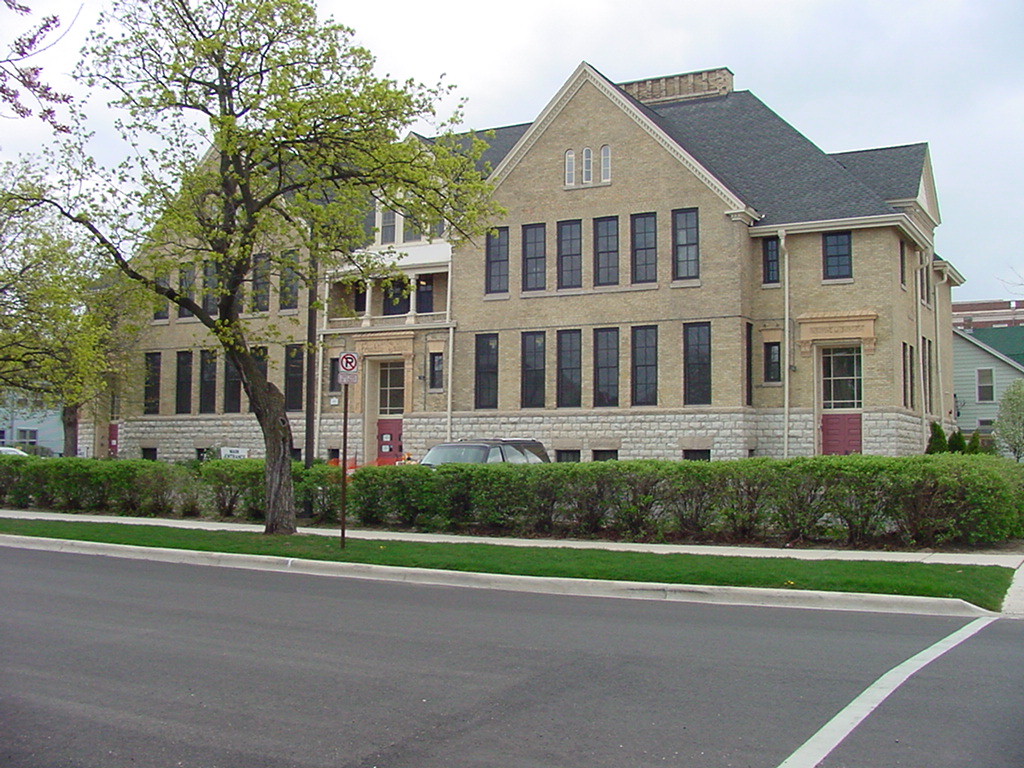
Crisis Center Building

Computer Safety

Steps to Clear Internet Explorer History and Cookies

Question: How can I clear the Internet Explorer history file?

Answer: Instructions on how to clear the History/Cache in Internet Explorer 4.0 and above on a PC.

  1. Select "Internet Options" under the "View" or "Tools" option (depending on the version you are running) on the toolbar.
  2. Under the "General" folder under "Internet Options", there is a section called "History". Change the "Days to keep pages in History:" to 0 and click the "Clear History" button.
  3. Click "Apply" at the bottom of the "Internet Options" box, then click "OK"
  4. To double check that everything is cleared, click the "History" button on the web browser toolbar - it should be empty. Also, click the arrow on the right of the URL Address box - it should be empty as well.


Steps to clear browsing history for Mozilla Firefox:

  1. Click on Tools on the top menu bar of the browser
  2. Select Options...
  3. You will then see the Firefox Options dialogue box
  4. Click on the PRIVACY icon and you will be presented with the Firefox Privacy settings
  5. To clear your history
  6. Click the CLEAR BROWSING HISTORY NOW (Firefox Versions 1 and 2) or the CLEAR NOW (Firefox Version 3) button.
  7. When done, click the OK button


Safari Browser


  1. Click on History in your Safari menu, located at the top of your screen.
  2. When the drop-down menu appears your most recent history (the last 10 web pages that you have visited) will appear
  3. At the very bottom of the History drop-down menu is an option labeled Clear History. Click on this to delete your history records.

Kane County Guide


The Kane County Guide is an internet based guide to community services and is available by clicking the image below. The Kane County Guide to Community Services is a project of many partners of Elgin United Way and provides an up to date overview of social services in Kane County. Surrounding county listings are also available in the Guide. Users will have several search options to locate information, the ability to add a new agency and/or edit their information already included in the Guide.

Kane County Guide

3 Word Video

Calendar of Events